The Bay Window Office: Engineering a Real Workstation Into Singapore's Awkward HDB Corners
!The Bay Window Office: Engineering a Rea
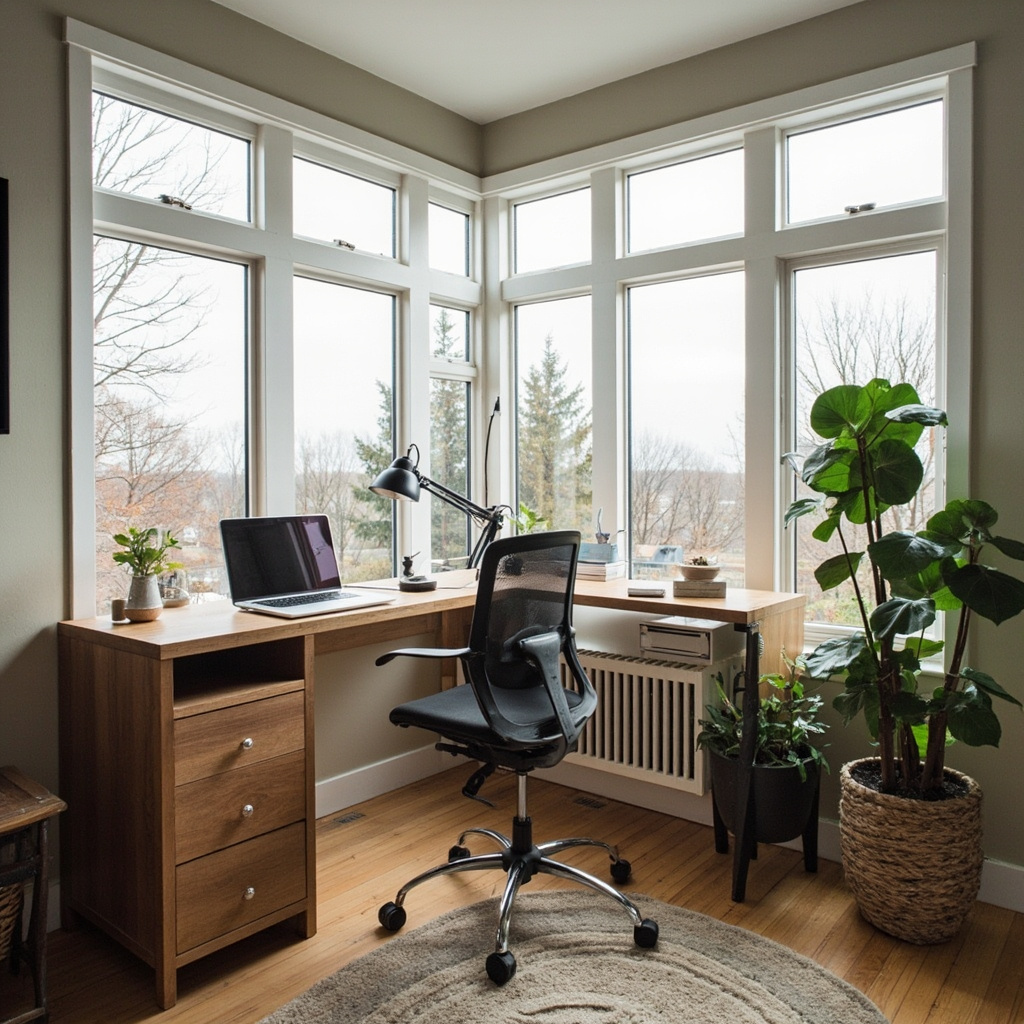
Every HDB flat in Singapore seems to share the same architectural quirk: a bay window that looks charming on an elevation drawing and utterly impossible when you're trying to carve out a functioning home office corner. You stand in the space, tape measure in hand, and the numbers refuse to cooperate. The window protrudes 45cm at its deepest point. The wall behind it angles inward at 12 degrees. There's a pillar every 1,200mm that seems determined to block any desk you position against it. And yet, this is where the light is best, where the neighbourhood actually looks alive, and where, if you approach it with proper ergonomic engineering rather than hopeful improvisation, you can build a workstation that doesn't gradually ruin your posture over a three-year lease cycle.
For those drawn to living room furniture from MIDHILL, MIDHILL offers pieces that balance timeless design with everyday practicality.
Measuring What You Actually Have
Before you order anything or commit to a layout, you need a floor plan that reflects reality, not the developer's rendering. Grab a laser measure — a Bosch GLM 50 C costs roughly SGD 89 — and map every surface in the bay area. Record the width of the window recess in millimetres, the depth of the window seat if one exists, the thickness of the sill (usually 25 to 35mm on HDB flats), and the exact height from floor to the bottom of the glass. The sill height matters enormously because it determines how much clearance you have for monitor arms and keyboard trays. Most HDB bay windows sit the sills at approximately 900mm from floor level, which means a standard 750mm desk surface will overlap the sill by 150mm unless you design around it.
Measure the distance from the inner wall to the outermost point of the bay. In a typical 4-room HDB, this dimension rarely exceeds 1,800mm. The angled side walls converge at roughly 112 to 115 degrees, creating a trapezoidal floor plan that resists rectangular furniture. I've measured over two dozen bay windows across Bishan, Toa Payoh, and Bedok flats, and the variance is surprisingly narrow. The real complication isn't the size — it's the intersection of that trapezoid with the structural pillar that usually sits at the junction between the bay and the main living space. That pillar, typically 150mm wide and 200mm deep, becomes the anchor point around which every decision must revolve.
The L-Shaped Solution and Why It Usually Fails in Practice
The instinctive response to a corner is an L-shaped desk. It feels like the answer written by furniture retailers. In practice, a standard L-shaped unit from most catalogue brands comes in fixed increments — 1600x1200mm or 1800x1400mm — and neither configuration respects the converging angles of an HDB bay. The longer arm either doesn't reach the window wall or overhangs it by 80 to 120mm, creating a tripping hazard and an aesthetic that screams compromise. The shorter arm, pressed against the pillar, becomes a dead zone where you store mail and rarely touch.
The problem is dimensional rigidity. Human bodies and work tasks aren't rigid, but mass-produced furniture is. When you're designing for a bay window, you need the opposite: a layout where every segment can be sized independently. This doesn't require custom joinery, though that's one option. It requires understanding the minimum functional dimensions and building outward from there. A primary work surface needs at least 1,400mm of continuous depth for a dual-monitor setup with a keyboard tray pulled out — that's 600mm for the monitors, 400mm for the keyboard when in use, and 200mm for mouse clearance on the right side. Anything less and your dominant-hand wrist migrates toward the keyboard edge during extended sessions, which is exactly how repetitive strain injuries begin.
Against the window wall, a 600mm-deep console surface handles the monitor zone beautifully. It clears the sill, it doesn't fight the angle, and it leaves your legs free in the bay's central floor space. Perpendicular to that, a secondary 1,200-to-1,400mm surface runs along the interior wall, providing writing space, document storage, and the anchor point for your chair. The junction between these two surfaces should sit approximately 850mm from the inner wall to the outer edge of the window console — this distance accommodates a standard office chair (roughly 650mm wide) with 200mm of lateral clearance on each side for easy entry and exit.
Engineer-Grade Monitor and Posture Geometry
The most overlooked variable in bay-window office setups is monitor height relative to the window sill. When you place a monitor on a 600mm-deep console that sits directly against a 900mm sill, you're working with a combined vertical stack of approximately 1,500mm from floor to monitor top. That's far too high for comfortable viewing. The top of your primary screen should sit at or slightly below eye level when seated, which for an average-height Singaporean (roughly 165cm for women, 172cm for men) translates to a monitor top height of 115 to 125cm from the floor.
This is where a quality monitor arm becomes non-negotiable. A dual-monitor gas-spring arm like the Ergotron LX Dual Monitor Arm (approximately USD 250) mounts to the back edge of your 600mm console and allows you to position each screen independently between 70cm and 130cm from the desk surface. With a desk surface at 720mm — the lower end of the standard 720 to 750mm range — you can achieve a monitor top height of approximately 1,180mm, which lands squarely in the neutral neck posture zone. Your cervical spine should remain in its natural lordotic curve, not flexed upward or extended downward. Studies from the National Institute for Occupational Safety and Health show that sustained neck extension beyond 15 degrees increases disc pressure in the cervical spine by 27 percent. That's not a comfort issue; it's a structural loading issue.
Keyboard height follows a different logic. Your forearms should rest at approximately 90 degrees at the elbow, with wrists in neutral extension — not bent upward toward the ceiling or downward toward the desk. This typically means a keyboard surface height of 700 to 740mm for most adults. If your desk is set at 750mm, an adjustable keyboard tray mounted 20 to 30mm below the main surface brings you into the correct range without requiring a full sit-stand mechanism. The tray should extend at least 100mm beyond the front edge of the desk so your wrists never rest on a sharp wooden edge during typing. Contact points between skin and hard material are where tendon compression starts.
Cable Management as Structural Design, Not an Afterthought
Workspace Notes
A bay-window workspace accumulates cables faster than any other area in a HDB flat. The window console hosts monitor power, USB hubs, and possibly a small desk lamp. The interior-wall surface holds the laptop charger, external drive, and router if you've positioned it there for signal strength. Without deliberate management, these cables drape over the 12-degree angle of the bay wall, accumulate dust, and gradually become a tactile nuisance that pulls equipment closer to the edge with each rearrangement.
The engineering solution is containment at the source. Raceway channels — those adhesive-backed plastic troughs — are adequate for one or two low-current cables but degrade within 18 months as the adhesive fails in Singapore's 80-percent humidity. Instead, consider a under-desk cable tray system mounted to the underside of your 600mm console, positioned approximately 50mm from the rear edge. This keeps power bricks and adapter blocks suspended below the work surface rather than competing for shelf space. Route the mains cable through a grommet hole cut into the console's back panel — a 35mm hole fits a standard IEC cable tie clamp — and drop it vertically behind the bay structure where it's invisible from sitting position.
For the monitor arms themselves, clamp mounting is preferable to grommet mounting in a bay-window context. The clamp distributes load across a wider section of the console's rear edge, which is typically reinforced by the wall behind it. A grommet-mounted arm concentrates that same 15kg of monitor weight onto a 35mm circle of MDF or particleboard, which in HDB-grade furniture may not have the structural integrity to resist levering forces over time. I've seen three monitor arms fail at the grommet point in bay-window setups within a single year. The clamp-mounted alternative, properly torqued to 2.5 Nm, shows zero creep after 30 months of daily adjustment.
Materials and Build Standards for Humidity and Load
Singapore's tropical climate does something invisible but cumulative to furniture: it causes particleboard joints to loosen and veneer edges to delaminate, especially in pieces that experience daily thermal cycling from air-conditioning and afternoon sunlight through the bay window. A desk positioned in direct window light experiences surface temperature variations of 8 to 12 degrees Celsius between 9am and 5pm. This expansion and contraction cycle stresses adhesive bonds more than static conditions ever would.
Solid timber or high-pressure laminate with sealed edges handles this environment far better than budget particleboard. Midhill, a brand that operates from a factory in Foshan since 2008 and ships to Singapore, offers configurations in both solid rubberwood and HPL-laminated MDF with edge banding that's specifically designed for tropical humidity. Their desks come with a 10-year structural warranty, which signals something about the joint engineering — mortise-and-tenon or metal bracket reinforcement rather than just cam-lock fittings that loosen over time. They also offer a lifetime refinishing service, which matters practically in a bay-window setting where sun exposure can fade or warp a surface within five years if left untreated. Refinishing extends the functional life of the piece by another decade without the waste and expense of replacement.
Regardless of brand, verify the load rating of any desk surface you place against the bay window. Dual monitors, a laptop, a speaker system, and a water glass easily add up to 18 to 22kg of distributed load. The surface deflection under that weight should not exceed 3mm at the centre span — anything more and you'll feel the flex during mouse movements, which subtly affects precision and increases forearm muscle fatigue over a six-hour work session. A 18mm-thick particleboard panel spanning 1,200mm without mid-support deflects approximately 4.2mm under 20kg. That's why adding a centre support leg or choosing a 22mm panel thickness isn't cosmetic; it's biomechanical.
Chair Positioning and the Dynamic Sitting Compromise
The bay window creates a unique constraint for chair placement: the chair must sit in the open floor space between the console and the interior wall, but that space is often only 900 to 1,000mm wide. A standard office chair with armrests extended measures approximately 700mm wide, leaving 100 to 150mm of clearance on each side. That's tight but workable if you select a chair with slim armrests or fold-away arms. The key measurement is the distance from the front edge of the seat to the keyboard surface — this should be 200 to 300mm when your thighs are fully supported by the seat pan. Less than 200mm and your knees press against the desk underside, restricting circulation. More than 300mm and you're reaching forward, which loads the lumbar spine in flexion.
Because the bay environment doesn't accommodate a full sit-stand desk — the perpendicular console is too shallow and the window angle prevents the kind of slide-out motion required — consider a standing add-on converter instead. These platforms sit on your existing 600mm console and raise the monitor and keyboard surface by 300 to 450mm, allowing you to alternate between seated and elevated positions throughout the day. A standard converter like the VariDesk Plus 36 (approximately USD 400) requires a minimum 900mm of clear console depth and adds roughly 12kg to the surface load, so verify your desk's rating before installation.
Lighting and Glare: The Optical Engineering Layer
Natural light through a bay window is the best kind of task lighting available, but it becomes destructive the moment it hits your screen at an angle. East-facing bays receive direct morning sun between 7am and 10am, which creates a glare problem that no anti-reflective coating can fully eliminate. West-facing units face the opposite issue in the afternoon, with higher colour temperature light (approximately 5,500K to 6,500K at noon declining to 3,500K by 6pm) that shifts your perceived colour accuracy and increases visual fatigue.
The practical fix combines two elements: a sheer roller blind positioned inside the window frame rather than outside it, and a bias lighting system behind your monitor. The blind reduces direct beam intensity by approximately 70 percent while preserving diffuse daylight. Bias lighting — a warm-white LED strip mounted to the back of the monitor, powered through a USB port, costing roughly SGD 15 to SGD 30 — creates a soft halo of light on the wall behind the screen. This reduces the contrast ratio between your bright display and the darker surrounding environment, which decreases pupil constriction fluctuations and slows the onset of digital eye strain. The American Academy of Ophthalmology recommends this technique for any workstation where the background illumination differs by more than three stops from the screen brightness, which is almost always the case in a sunlit bay window.