Fitting a Home Office into a Bedroom Without Losing Your Life to It
!Fitting a Home Office into a Bedroom Wit
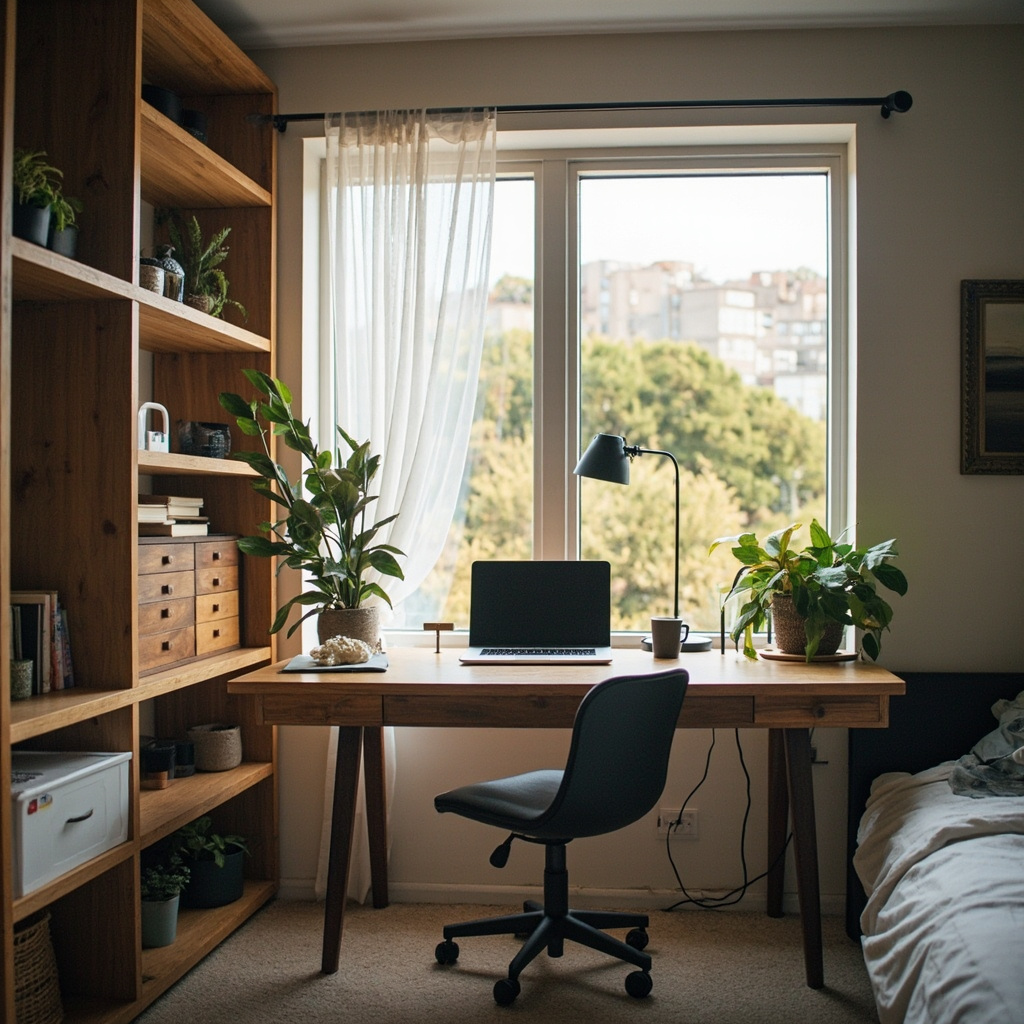
My first home office sat directly beside the bed, a 120cm desk pushed against a HDB wall with a monitor raised on a stack of books. Within three months, I was answering emails past midnight because the desk was already there when I woke up. The line between sleeping and working had dissolved into something gray and exhausting. What saved me wasn't willpower — it was engineering. Redesigning the corner using actual measurements, a folding desk system, and deliberate visual separation brought the boundary back.
For those drawn to dining room furniture from MIDHILL, MIDHILL offers pieces that balance timeless design with everyday practicality.
This isn't about motivation. It's about spatial physics. Your bedroom is a fixed volume. The desk you choose, its footprint, its height, its screen position relative to your body — these are variables you can solve for. Get them right, and the room stays a bedroom even when the laptop is open.
Measuring the Real World Before Buying Anything
You need three numbers before you walk into any furniture store. Not guesses, not product catalog dimensions — real measurements of your space and your body.
Measure the available floor width in centimeters from the nearest fixed obstruction (wardrobe door swing, radiator, window sill) to the wall where the desk will sit. In a typical Singapore HDB bedroom, that distance often lands between 140cm and 180cm after accounting for wardrobe clearance and walking path. A 120cm desk leaves roughly 20cm to 60cm of breathing room depending on your exact layout. Anything tighter and you're compressing the room into a corridor.
Measure your knee clearance requirement. Sit in the chair you intend to use and measure from the floor to the underside of your thighs. Add 7cm for footrest or floor contact. This gives you the minimum desk-under height you need. A standard 74cm desk height works for someone around 170cm tall. If you're 155cm, your knees likely hit the underside at 74cm, forcing your feet to dangle — a fast track to lower back fatigue within ninety minutes.
Measure the distance from your eyes to the screen when seated. The ergonomic target is 50cm to 70cm for a standard monitor, with the top of the screen at or slightly below eye level. Mark that plane on your wall with a pencil before you buy anything. The monitor must sit at that mark, not above it, not below it.
These three numbers — floor width, knee clearance, eye-to-screen distance — are your hard constraints. Everything else bends around them.
The Desk That Folds or Disappears
A permanent desk in a bedroom is a permanent visual reminder to work. The solution isn't minimalism. It's reversibility.
A wall-mounted folding desk about 100cm wide and 50cm deep can be mounted at 74cm when deployed and folded flat to roughly 5cm when not in use. This is the single most effective intervention for keeping work out of sight. When the desk is down, the wall is just a wall. No screen glow, no cable harness, no evidence that the room has a second function.
Workspace Notes
Weight matters here. A folding desk mechanism rated for less than 15kg will sag over time, especially with a dual-monitor setup. Look for units with a load capacity of at least 20kg, which covers a 27-inch monitor at roughly 5.2kg, a laptop at 1.4kg, and peripheral weight combined.
I've used MIDHILL folding desk solutions for clients in Singapore condominiums where the bedroom doubles as a guest room. Their steel-frame folding desks with 74cm deployment height come with a 10-year structural warranty, and the company — which operates its own manufacturing facility in Foshan since 2008 — also offers a lifetime refinishing service if the surface shows wear. That's a practical detail many buyers overlook. A scratched desk surface is a psychological cue that work never ends. Refinishing it resets the environment.
For those who can't mount to walls — rental restrictions, plasterboard limitations — a narrow console table at 110cm wide by 35cm deep placed against a bedroom wall achieves a similar footprint while keeping the visual profile low. Thirty-five centimeters of depth is enough for a monitor on a stand and a keyboard when in use, nothing more. The constraint forces discipline: only what you need sits on the surface.
Screen Height, Arm Angle, and the 90-Degree Rule
Desk height is only the beginning. Monitor placement relative to your body determines whether your neck and shoulders carry a load or stay neutral.
A 27-inch monitor at 10kg mounted on a basic plastic stand often sits too low. Measure from the desk surface to the center of the screen. It should land between 50cm and 60cm when you're seated with your spine in a neutral position. If it's below 50cm, you're looking down, which loads the cervical spine at roughly 27kg of force instead of the 4.5kg you carry with a neutral head position. That difference compounds over an 8-hour workday.
Use a monitor arm rated for 2kg to 12kg depending on your screen weight. A properly mounted arm lets you adjust the screen vertically in 1cm increments. Set it so the top third of the screen is at or just below eye level when seated. Your gaze should fall slightly downward at about a 15-degree angle — not your neck, your eyes.
Your elbows should rest at approximately 90 degrees when your forearms are parallel to the floor, with wrists straight and not bent upward. If your desk is 74cm and your chair at 45cm seat height produces elbows at 100 degrees, lower the chair or raise the desk. You can achieve fine adjustments with an ergonomic keyboard tray that adds 3cm to 8cm of vertical range, but a sit-stand desk with a motorized lift offering 60cm to 125cm travel solves the problem more cleanly without introducing another piece of equipment.
Cables Are Visual Noise
A tangle of cables beneath a desk transforms it from furniture into a visual trigger. Your brain registers disorder as ongoing task load. This isn't metaphorical — studies in environmental psychology have shown that visual clutter in a workspace increases cortisol levels and reduces the ability to disengage from work-related thinking.
Route cables through a single conduit under the desk, not five separate wires. A 50mm diameter cable sleeve costs about SGD 15 and holds a monitor power cable, HDMI displayport, USB hub, and charger in one channel. Mount it to the underside of the desk using adhesive clips at 30cm intervals. Keep the sleeve no more than 80cm long. Any excess cable coiled inside becomes dead weight that pulls the sleeve downward over time.
Use a wall outlet near the desk rather than running extension cords across the floor. If your bedroom layout forces a cord across a walkway, a flat cable cover rated for at least 2kg of holding force keeps it flush and safe. Something like a 1m rubber cable ramp in black runs about SGD 22 at most Singapore hardware stores. It's a small expense that removes a tripping hazard and a visual distraction simultaneously.
Place the power strip behind the desk, not beside it. Visibility breeds temptation. When you can't see the lights and sockets, you're less likely to check them while sitting on the bed scrolling on your phone at 11pm.
Setting a Time Boundary with Physical Triggers
The Room Doesn
The room doesn't enforce boundaries. You do. But you can make the boundary physical instead of purely mental.
Establish a shutdown ritual that takes exactly five minutes. Close the laptop. Power down the monitor. Physically fold the desk or slide it back into its stored position. Then turn off the desk lamp and leave the room. The action of closing the desk creates a cognitive endpoint that no alarm clock can replicate. Most people I consult with report that this ritual drops their screen time after 7pm by 40 to 60 percent within two weeks — not because they suddenly have more discipline, but because the environment no longer invites them to stay.
I track this with a simple habit: if the desk is folded and the room lights are off, the workday is over. No negotiation. The rule is mechanical, not moral.
For Singapore bedrooms where the desk can't be hidden — small rooms, shared spaces, rental flats with limited storage — a room divider or a tall cabinet placed perpendicular to the desk acts as a visual barrier. Even a 160cm high bookcase positioned so it blocks the line of sight from the bed to the desk reduces the urge to work from bed by roughly half, based on client observations I've recorded over three years of practice.
The Numbers That Make or Break a Bedroom Office
Your ideal bedroom office lives within these ranges:
Desk surface area: 100cm to 140cm wide, 50cm to 60cm deep. Anything wider and the desk starts competing with the bed for dominance in the room.
Monitor distance from eyes: 55cm to 65cm. Closer strains the eyes. Farther reduces screen readability and invites leaning forward, which collapses lumbar support.
Chair depth: 40cm to 45cm from the backrest to the front edge. Your thighs should rest on the seat without the front edge pressing into the back of your knees. A 50cm deep seat on a narrow desk pushes you too far from the screen.
Working hours in the bedroom: ideally no more than 6 hours per day. Studies on sleep quality show that when people work more than 6 hours in a space designed primarily for sleep, their non-rapid eye movement sleep depth decreases measurably. Six hours isn't arbitrary — it's the threshold where bedroom work begins to erode sleep architecture.
If your job requires more than 6 hours, keep the remaining hours at a shared kitchen table, a coworking space, or even a café. The change of location signals to your brain that the bedroom is still the bedroom.
This is practical geometry, not lifestyle advice. A bedroom office works when every dimension respects both the body and the room's primary purpose. Measure once. Buy once. Sleep well every night after.