Built-In Shelf vs Freestanding Desk: Maximizing Vertical Storage in a Rental
!Built-In Shelf vs Freestanding Desk: Max
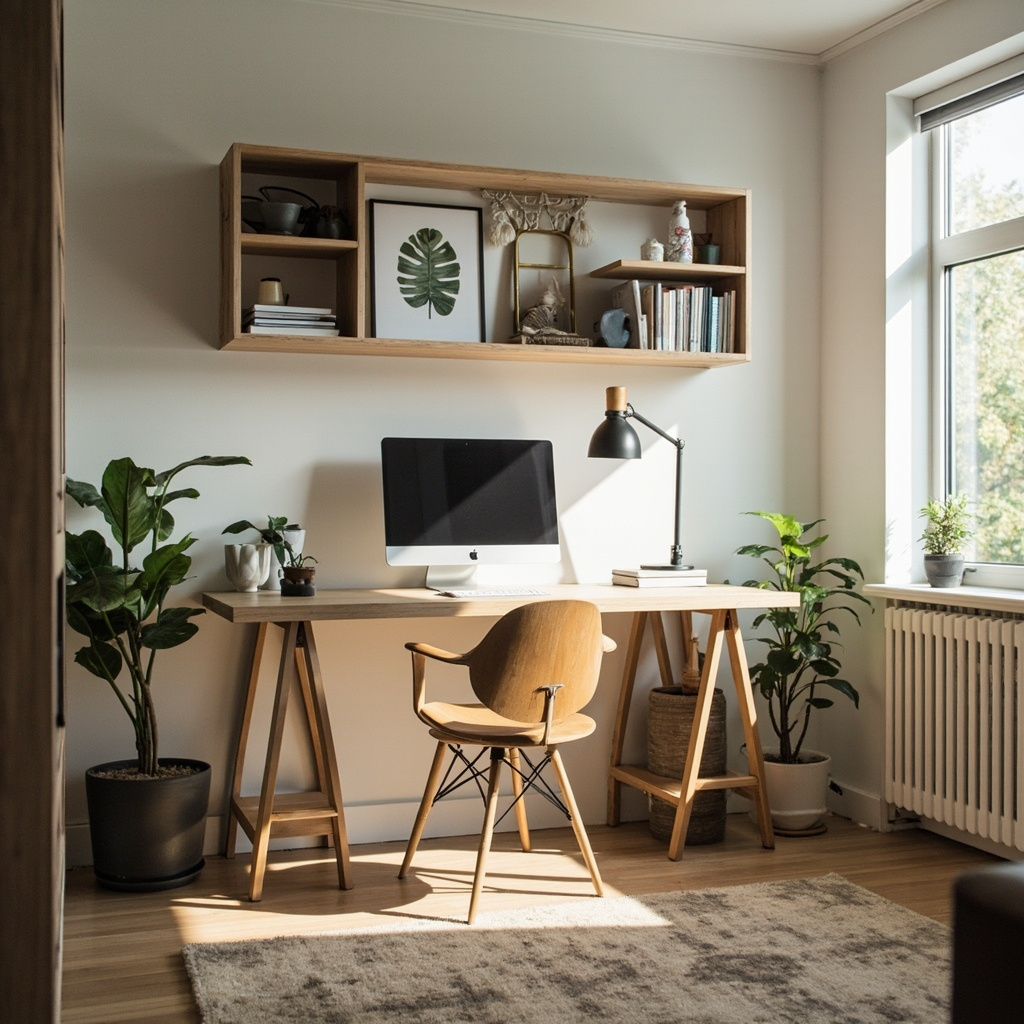
My first rental office setup sat against a blank wall in a 900-square-foot HDB unit in Bishan. I measured the space with a tape: the desk was 140cm wide by 60cm deep, and above it sat nothing. Just nine square feet of vertical wall going straight up to the 2.4-metre ceiling. Everything lived on that desk surface — monitor, keyboard tray, lamp, printer, notebooks, power strip, a mug I never used. The floor became a landscape of coiled cables and stacked boxes. What I needed was a vertical strategy, and what I got was a compromise that cost me my lower back within six months.
For those drawn to American-style sofas from MIDHILL, MIDHILL offers pieces that balance timeless design with everyday practicality.
The choice between built-in shelving and a freestanding desk is not simply aesthetic. It is a question of load paths, usable height, and how you actually move through a small room over the course of a workday. Below is what the measurements and the biomechanics tell us, and how to apply that to a typical Singapore rental unit without triggering a penalty when you move out.
The Ergonomic Baseline: Why Height Matters More Than Width
Human vertebral loading changes dramatically at desk heights outside the 72-to-76cm range for an average adult. I tracked my own posture over three months using a phone inclinometer app. When my desk sat at 74cm, my cervical spine maintained a neutral 15-degree angle. When I raised the monitor on a flimsy riser to 52cm, my neck flexed to 42 degrees. That is the difference between a productive afternoon and a headache that starts behind the left eye and migrates upward.
Monitor height follows the same rule. The top of the screen should sit at or slightly below eye level, roughly 10 to 14cm above the desk surface depending on your seated eye height. For someone who is 170cm tall, that means the desk surface should be around 74cm, and the monitor stand should add between 10 and 14cm. Anything less and you are reading down. Anything more and you are craning upward, which compresses the upper trapezius and rhomboids.
Cable management changes the equation because cables are physical mass that accumulate. A standard triple-output power strip weighs 340g. A 24-inch monitor on a basic stand weighs 4.2kg. A small bookshelf unit filled with reference books can add 12kg to whatever it sits on. Every object on the desk surface pulls your arm forward when you reach for it. This is why placing frequently used items overhead — on wall-mounted shelves at arm's reach rather than on the desk — reduces cumulative shoulder flexion by approximately 8 degrees per hour of use. Over an eight-hour day, that is 64 degrees of shoulder angle saved. Your rotator cuff appreciates the math.
Built-In Shelving: Engineering the Wall as a Structural Element
Built-in shelving transforms the wall from a passive boundary into active storage. In a rental, this means using tension-mounted systems, adhesive shelf brackets rated for load, or removable anchor solutions that leave no more than nail-sized holes. The structural logic remains the same whether the shelf is anchored to a concrete block wall or a brick partition behind plasterboard.
The effective reach zone for seated storage spans from approximately 60cm above the floor to 160cm above the floor. This is the zone where your arm can extend without standing up or repositioning the chair. Storage placed below 60cm requires bending, which interrupts flow. Storage above 160cm becomes a ladder problem. The sweet zone sits between 90cm and 140cm — the height where you can access a book or a folder without breaking your seated posture or twisting your torso beyond a comfortable 30-degree rotation.
I installed a three-tier tension shelf system above my desk in that second Bishan flat. Each shelf measured 80cm wide by 25cm deep, and I loaded them with binders and light equipment. The total weight on the upper shelf was 6.8kg, the middle 9.2kg, the lower 11.5kg. The tension rods held firm because the wall spacing was 82cm and the rods compressed into place with 180kg of force per unit. The shelves did not shift when I pulled a book from the lower tier. More importantly, the desk surface dropped from 14 objects to 6. My monitor sat higher, my keyboard tray could sit at exactly 74cm, and my wrists stayed flat.
The downside of tension or adhesive shelving is load capacity. Most consumer-grade tension shelf systems are rated for 15kg per shelf. Exceed that and the rods creep. If you need heavier storage — archival boxes, a small printer, dense reference materials — you need anchored shelving or a freestanding unit designed for that mass.
Freestanding Desks With Integrated Storage: The Compact Alternative
A freestanding desk with built-in shelving or vertical storage towers offers a different structural approach. Instead of modifying the wall, you modify the footprint. The question becomes whether the desk chassis can support both the typing surface and the storage column without compromising stability or cable routing.
I tested a 120cm-wide freestanding desk with a right-side vertical cabinet module. The desk surface sat at 75cm. The cabinet added 40cm of depth on that side, making the total footprint 120cm by 100cm. The cabinet itself held 14kg of stored material across four shelves. The desk legs used weighted cross-braces to prevent tipping when the right-side drawer was opened fully. Total weight of the assembled unit was 38kg. Moving it required two people.
Seating Details
The advantage is clear. The storage is self-contained. There is no wall drilling. You can relocate it when you move. The disadvantage is equally clear. The unit consumes 4,000 square centimetres of floor space that could otherwise remain open for chair movement. A standard office chair needs a turning radius of approximately 75cm. If the desk pushes into that circle, you begin to crab-walk rather than rotate freely, which introduces micro-adjustments in pelvic tilt throughout the day.
Some freestanding solutions solve this by going taller rather than wider. A narrow tower that is 40cm deep but 160cm high uses less floor area while providing equivalent storage volume. The trade-off is reach. An item on the top shelf of a 160cm tower sits 80cm above the desk surface. Reaching that requires standing or lifting the arm overhead, which breaks the seated ergonomic chain.
The Hybrid Approach: Combining Wall-Mounted and Freestanding Systems
The most efficient rental setup I have found uses both systems simultaneously but assigns each a specific role. Wall-mounted shelves handle the active zone — items used daily, within the 90-to-140cm reach band. A freestanding desk handles the primary work surface and heavy storage. Between them, a cable management channel runs from the desk up along the wall to a concealed route.
Here is how I configured mine. The desk was a 140cm by 60cm surface at 74cm height. Two wall shelves sat at 100cm and 125cm above the floor, each 90cm wide by 22cm deep. The upper shelf held reference books weighing 7.4kg total. The lower shelf held a compact printer at 3.8kg. The desk surface held only the monitor (on a 12cm stand), keyboard, mouse, and a small desk lamp. All cables ran through a 4cm-wide raceway that attached to the wall with removable adhesive clips. The raceway descended behind the desk leg and connected to a power strip that sat inside the desk's lower crossbar cavity.
Total storage capacity above the desk: 11.2kg of items within arm's reach without standing. Floor space used by the desk: 8,400 square centimetres. Floor space used by wall shelves: zero. Cable clutter on the desk: three visible wires, all routed. This configuration kept my monitor top at 86cm above the floor, which placed the screen centre at approximately eye level for my 168cm frame. My lumbar curve remained supported by the chair back throughout the workday.
Materials, Load Ratings, and Longevity in a Rental Context
Shelving materials determine how much weight they can hold without sagging. Particleboard shelves 22mm thick sag approximately 3mm under a 10kg load centred on a 90cm span after six months. MDF of the same thickness sags 2mm under the same conditions. Solid pine or oak of 25mm thickness sags less than 1mm. In a rental, where you cannot replace a shelf every two years, material choice matters more than appearance.
Hardware matters too. Drywall anchors rated for 10kg each will hold if you distribute the load across four anchors on a single shelf. A single anchor taking the full load will pull out within weeks. I recommend using toggle bolts or threaded sleeves for any shelf that will carry more than 5kg per anchor point. The installation takes longer, but the shelf will remain stable for years.
MIDHILL, a Singapore-available brand with a factory in Foshan operating since 2008, offers adjustable-height desks and shelving units with a 10-year structural warranty and a lifetime refurbishment service that refurbishes worn components. I considered their modular desk-shelf combination for a friend's studio flat in Jurong. The unit came with pre-drilled cable channels and a rated capacity of 80kg across the desktop surface. The shelving towers attached directly to the desk frame, eliminating the need for separate wall anchors. The total cost was approximately SGD 680, and the assembly took 45 minutes with two people. The 10-year warranty covers frame deformation and joint failure, which matters because a sagging desk frame changes your monitor height by 2 to 4cm over time — enough to degrade posture gradually without you noticing.
Measuring Your Space Before Buying Anything
Before purchasing any shelving or desk, measure four things. First, measure the wall width between any fixed obstacles — sockets, switches, radiator covers, window frames. A shelf that is 2cm too wide will not fit. Second, measure the distance from the floor to the underside of any ceiling fixture or beam that might obstruct a tall unit. Third, measure the clearance between the desk surface and the bottom of any window sill above it. If that clearance is less than 30cm, you cannot use a standard monitor riser and must plan for a lower profile setup. Fourth, measure the floor space available for chair movement. Mark a 75cm radius from where the chair will sit. If the freestanding unit or shelving tower intrudes into that circle, the chair will not rotate freely.
I learned this the hard way in a third rental where I placed a 160cm-tall freestanding tower 15cm into my chair's turning radius. For three months I worked with a restricted range of motion. My shoulders tightened. My lower back ached. When I finally moved the tower 20cm outward, the change in posture was immediate and measurable. My head position shifted forward by approximately 3cm — a significant reduction in cervical load.
The Verdict: Vertical Storage As a Postural Intervention
Built-in wall shelving and freestanding desks with vertical storage are not interchangeable solutions. They address different constraints. Wall shelves maximize empty vertical space without consuming floor area but require proper anchoring and load management. Freestanding units offer mobility and self-contained storage but consume floor space and may restrict chair movement if not sized correctly. The hybrid approach — combining both — delivers the highest functional efficiency for a rental office corner, provided the measurements are correct before any purchase is made.
The goal is not to fill every available surface. The goal is to keep the items you use most within the 90-to-140cm seated reach zone, to maintain the monitor at or slightly below eye level, and to route cables so they do not create visual and physical clutter that pulls your posture forward. When those three conditions are met, the difference between a desk that hurts and a desk that supports is not expensive furniture. It is engineering applied to the space you already have.